The HTML to PDF API
Powered by the industry-leading PrinceXML engine, hosted & operated in Europe – 100% GDPR compliant.
curl --request POST \
  --url 'https://api.europdf.eu/v1/docs?api_key=000000' \
  --header 'Content-Type: application/json' \
  --data '{
    "document_content": "<h1>Hello, world!</h1>" }' \
  --output demo.pdf
import urllib.request
import json

html = '<h1>Hello, world!</h1>'
req = urllib.request.Request(
    'https://api.europdf.eu/v1/docs?api_key=000000',
    data=json.dumps({'document_content': html}).encode(),
    headers={'Content-Type': 'application/json'}
)
with urllib.request.urlopen(req) as response:
    with open('demo.pdf', 'wb') as f:
        f.write(response.read())
import fs from 'fs'

const html = '<h1>Hello, world!</h1>'
const url = 'https://api.europdf.eu/v1/docs?api_key=000000'
const response = await fetch(url, {
  method: 'POST',
  headers: { 'Content-Type': 'application/json' },
  body: JSON.stringify({ document_content: html }),
})
const pdfData = await response.arrayBuffer()
fs.writeFileSync('demo.pdf', Buffer.from(pdfData))
<?php
$html = '<h1>Hello, world!</h1>';
$ch = curl_init('https://api.europdf.eu/v1/docs?api_key=000000');
curl_setopt_array($ch, [
    CURLOPT_POST => true,
    CURLOPT_RETURNTRANSFER => true,
    CURLOPT_HTTPHEADER => ['Content-Type: application/json'],
    CURLOPT_POSTFIELDS => json_encode([
        'document_content' => $html,
    ])
]);
file_put_contents('demo.pdf', curl_exec($ch));
require "httpx"

pdf_data = HTTPX.post "https://api.europdf.eu/v1/docs",
  params: { api_key: "000000" },
  json: {
  document_content: "<h1>Hello, world!</h1>"
}

File.binwrite("demo.pdf", pdf_data)
package main
import ("bytes"; "encoding/json"; "io"; "net/http"; "os")

func main() {
	html := "<h1>Hello, world!</h1>"
	data, _ := json.Marshal(map[string]string{"document_content": html})
	resp, _ := http.Post("https://api.europdf.eu/v1/docs?api_key=000000",
		"application/json", bytes.NewBuffer(data))
	defer resp.Body.Close()
	pdf, _ := io.ReadAll(resp.Body)
	os.WriteFile("demo.pdf", pdf, 0644)
}
Everything PrinceXML can do — in one API call
Every layout, typography, and PDF feature of the industry-leading PrinceXML engine — without the licensing, the binaries, or the ops work.
HTML & CSS Input
Everything you can express in HTML and modern CSS — and quite a bit more.
Headers & Footers
Repeating page headers and footers, defined in pure CSS. Different headers for first, left, and right pages.
See examplesPage Numbers
Automatic page numbering with full control. "Page 3 of 24", per-chapter counters, Roman numerals — all via CSS.
See examplesWatermarks & Backgrounds
Repeating watermarks, full-bleed backgrounds, draft stamps. Position and rotate via CSS.
See examplesTypography & Web Standards
All the web tech you already use, rendered with print-grade typography.
JavaScript Execution
Multi-pass JavaScript rendering. Charts, dynamic content, SPAs — they all just work.
See examplesCSS for Print
Full support for CSS Paged Media Level 3, including @page, @top-center, page breaks, and counters.
SVG, Charts & Images
JPEG, PNG, GIF, TIFF, SVG, WebP. Embed Highcharts, Chart.js, D3 visualizations directly.
PDF Output Features
Real PDFs — accessible, secure, print-ready, and standards-compliant.
Accessible PDFs (PDF/UA)
Tagged PDFs that meet WCAG 2.0, Section 508, and PDF/UA / ISO-14289 standards — automatically from semantic HTML.
See examplesPDF Forms
Convert HTML forms into interactive PDF forms with input fields, checkboxes, and signatures.
Print-Ready (CMYK, Bleed, Crop Marks)
Full prepress output — CMYK color, ICC profiles, bleed boxes, registration marks. Send straight to a printer.
Try it in the Playground
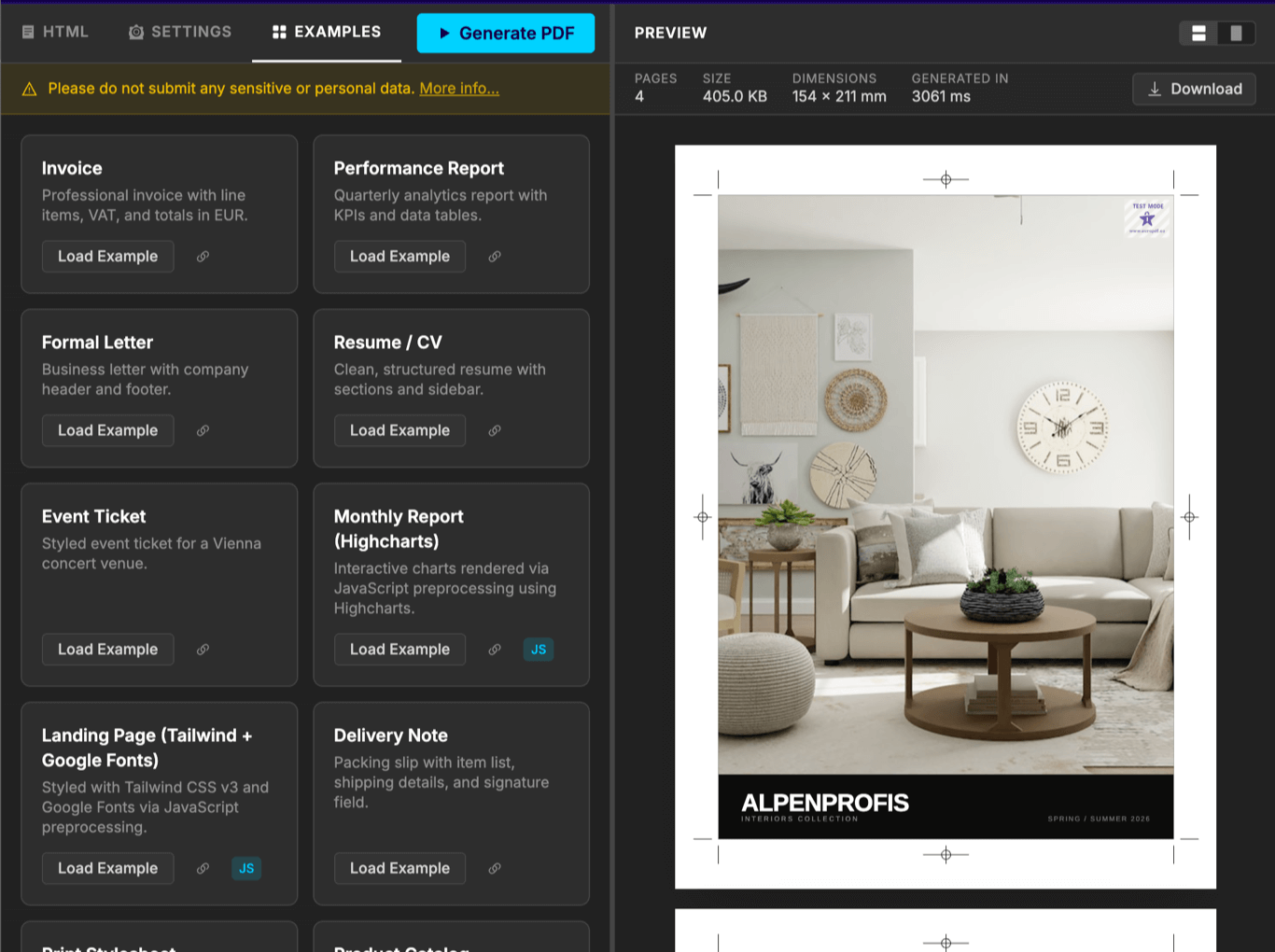
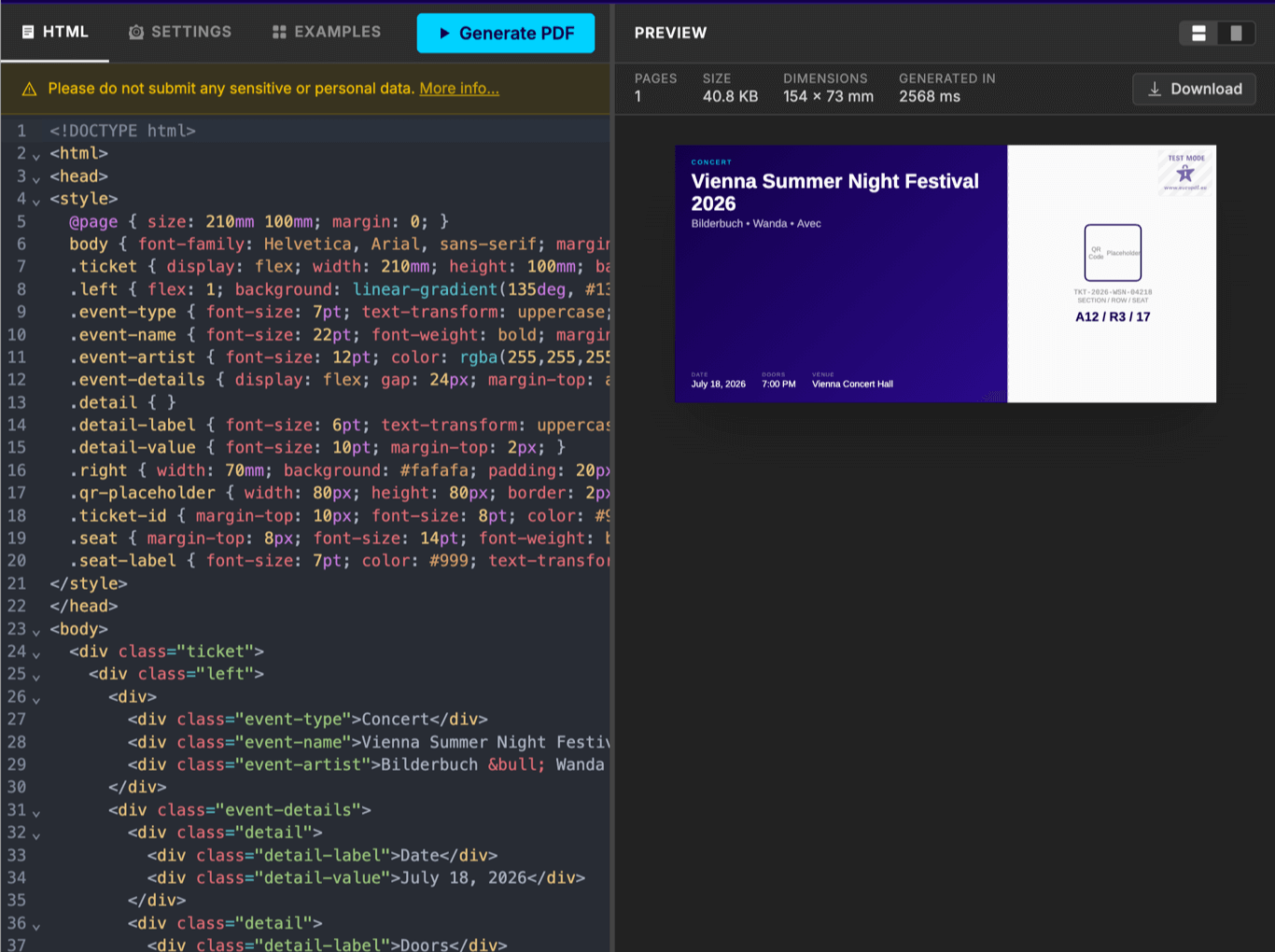
Paste your HTML, tweak the settings, and see the PDF result instantly – no sign-up required.
Why we built EuroPDF
Fun Fact: We built EuroPDF for our own use in the first place. We need to generate thousands of PDFs each month in our products, some from quite complex HTML layouts, and sometimes with more than 100 pages.
Not only did we need a powerful and scalable solution, but we also care deeply about privacy and data security. 100% GDPR compliance is a given, but our standards are even higher. (For example, we don't want to worry about the current EU-US data transfer agreement getting nixed again by the European Court of Justice.)
We tried, but couldn’t find an existing solution that met our requirements. So we decided to build our own. From the start, being our own customers meant we fully focused on making EuroPDF easy to use, reliable, and scalable.
And now, after using EuroPDF ourselves heavily for more than one year, we're happy to share it with you!

Vienna, April 2024
Try out for free!
For as long as you like. No credit card required.
Free plan
- 5 regular PDFs each month
- As many test PDFs as you need *
- No trial period
Our paid plans – for maximum flexibility
Monthly PDF quota included. Additional PDFs charged as you go.
You can switch between plans at any time.
Starter
- 50 PDFs /mo
- 4 concurrent requests
- 1 API key
- Unlimited test PDFs
Standard
- 500 PDFs /mo
- 8 concurrent requests
- Unlimited API keys
- Unlimited test PDFs
Large
- 1,500 PDFs /mo
- 16 concurrent requests
- Unlimited API keys
- Unlimited test PDFs
X-Large
- 4,000 PDFs /mo
- 32 concurrent requests
- Unlimited API keys
- Unlimited test PDFs
Custom Plan
You want to create even more PDFs? You prefer yearly payments, or to pay via bank transfer? Talk to us and we'll create a plan specific to your needs!
VAT may apply, based on your country of origin.
Frequently Asked Questions
We aim to store PDF creation data (the input HTML you send us, and the PDF we generate) as briefly as possible:
Input data and PDF will be deleted immediately after your API request has completed, or, when using the async API, immediately after you download the PDF.
For testing or debugging purposes you can optionally configure a longer data retention period.
There is no specific limit for the size or page count of a PDF. However, we do limit the time it takes to generate a PDF: Normal API calls are limited to 60 seconds, and async generation to 5 minutes. (That's usually enough to create PDFs with several hundred pages).
Test PDFs are free and do not count towards your plan’s limit. You can use them to test your integration or to create drafts. These PDFs will have a watermark embedded.
We currently support Prince 16 (released February 2025) and Prince 15.4. New Prince versions will be added shortly after their official release, ensuring you always have access to the latest features and improvements.
Yes. JavaScript is executed first, and the final DOM is then used to actually generate the PDF.
And there are even more cool things you can do! See our documentation on JavaScript in EuroPDF for details.
In paid plans you will still be able to create PDFs when you reach your plan's limit. These additional PDFs will be charged per document, according to your plan.
The free plan does not allow overage. To create more PDFs you'll need to wait for the next billing period or to upgrade to a paid plan. (You'll still be able to create Test PDFs, though.)
You can upgrade your plan at any time. You'll get a credit for the unused days of your current billing period, and the new plan will start immediately.
Downgrading is possible at the end of each billing period. You can also downgrade to the free plan.
VAT is added to all purchases unless you have an EU VAT ID. VAT is also always added for customers from Austria.
Of course. After sign-up, you can generate a custom data processing agreement from your account page.